Credit Card Rewards Redemption and Points Expiry in MyFam360
How MyFam360 tracks reward redemption events, welcome bonuses, and the points-expiring notification — so cashback doesn't quietly expire.
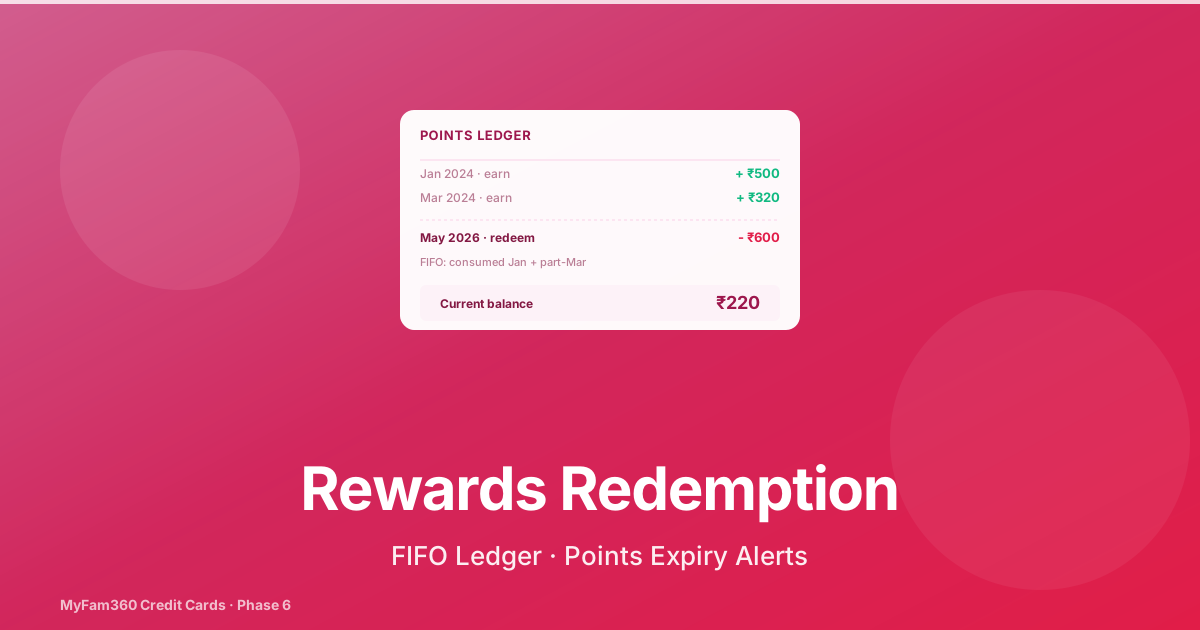
The most quietly expensive part of credit card ownership isn’t the annual fee. It’s the slow-motion expiry of unredeemed reward points. A 36-month expiry policy on a card you’ve held for two years means anything you earned in year one is on its way to disappearing — and most cardholders never check until the points are gone.
MyFam360’s redemption tracking is the answer to that. This post explains how the points ledger works, how redemption events get recorded, what FIFO expiry treatment means in practice, and what the points-expiring notification does.
This post assumes you’ve already configured the card’s rules — if not, start with the rewards engine post.
The Points Ledger
Every credit card in MyFam360 has a points ledger — a chronological list of all reward events. Each row has:
amount— points or cashback amount.type— one ofearn(from the rewards engine),bonus(welcome bonus credit),redeem(manual entry),expire(FIFO expiry application).earned_at/redeemed_at/expired_at— the relevant timestamp.channel— for redemption:statement_credit/voucher/catalogue/cash.reference— the issuer’s redemption reference number, if you have it.
The current points balance is computed live as sum(earn + bonus) - sum(redeem + expire).
The ledger is queryable per card via the Redemption History panel and is the source of truth for the points-expiring notification.
Recording a Redemption
Open the card’s Rewards tab and tap Redeem. The modal asks for:
| Field | What it means |
|---|---|
| Amount | Points or rupees redeemed |
| Channel | Statement credit, voucher, partner catalogue, cash equivalent |
| Redemption date | When the redemption was actually processed (default today) |
| Reference number | The issuer’s transaction ID, if you have it |
| Notes | Free-text, e.g., “Amazon voucher 21-May” |
Confirming the modal:
- Inserts a
redemption_eventrow tied to the card. - Writes a corresponding
redeemrow in the points ledger. - Applies FIFO consumption against the earning rows (more on this below).
- Recomputes the current points balance.
- Writes an
audit_logsrow withaction='redeemed_points'.
The recorded redemption immediately reflects in the points balance shown on the Rewards tab and the Dashboard widget.
FIFO Expiry Treatment
This is the part most people don’t think about and most issuers don’t explain clearly.
If your card has a 24-month expiry policy and you earned ₹600 in cashback across 24 months, your reward pool looks like this:
- ₹50 from January 2024 (expires Jan 2026)
- ₹40 from February 2024 (expires Feb 2026)
- … (and so on for each month)
- ₹30 from December 2025 (expires Dec 2027)
Total: ₹600.
If you redeem ₹100 today (May 2026), which months’ earnings get consumed?
MyFam360 applies FIFO — oldest first. So your ₹100 redemption consumes:
- All ₹50 from January 2024 (already expired in Jan 2026 — actually was zero by then, so skip)
- Then ₹40 from February 2024 (also expired)
- Then ₹40 from March 2024 (also expired)
- Then ₹20 from April 2024 (partially consumed)
This matches how most Indian issuers compute redemption. The benefit: newer points stay alive longer, and the points-expiring notification doesn’t double-count.
The function is apply_redemption_fifo() in credit_rewards_service.py. The ledger remains audit-friendly because each consumed earning row gets a consumed_by_redemption_id foreign key — you can trace any redemption back to the specific earnings it spent.
The Welcome Bonus Tracker
When you sign up for a card, the issuer typically offers a welcome bonus tied to a spend milestone — “₹1,000 cashback after ₹15,000 spend within 60 days of activation”.
The Welcome Bonus Tracker on the card detail page handles this:
- Configure — open the card detail, tap Add Welcome Bonus, fill in the milestone amount, the bonus amount, and the deadline (date).
- Track — as you log expenses against the card’s mirror, the tracker computes cumulative spend toward the milestone. The progress bar fills in real time.
- Complete — when you cross the milestone, the tracker shows a green completion badge. If you’ve already confirmed the bonus credit, mark it as redeemed; the bonus amount flows into the ledger as a
bonusrow. - Expire — if the deadline passes without hitting the milestone, the tracker marks the bonus as expired.
The whole thing is one welcome_bonus row per card, with strict per-card uniqueness so you can’t double-track.
The Points-Expiring Notification (Family+)
Once a month, an idempotent dispatcher checks every active card for points scheduled to expire within the next 90 days. If any exist, the notification points_expiring fires:
- Title: “Points expiring soon on HDFC for groceries”
- Body: “₹420 will expire on 20 Jun 2026”
Idempotency keys: (family_id, card_id, expiry_window_month). You won’t get the same notification on the same card twice in a month. The notification is gated to Family+ plans only.
The reason for monthly (not weekly) cadence: most expiry windows are months away, and the value of a monthly nudge is high; weekly noise would train users to ignore it.
Reading the Redemption History Panel
The Rewards tab → Redemption History panel shows all redemption events with:
- Date (descending)
- Amount and channel
- Reference number
- Notes
- “Reconciled” status — set to true if you’ve confirmed against the issuer’s statement
You can filter by year, sort by amount, and export to CSV. The CSV export is useful at year-end when reconciling against the issuer’s annual rewards statement.
What This Means For You
Three behaviours worth adopting:
- Record every redemption the same day. A redemption you don’t log doesn’t draw down the ledger, and your points balance in MyFam360 drifts from reality.
- Check the points balance once a quarter. The Rewards tab shows the current balance; if it’s growing without redemptions, you’re earning faster than you’re spending. Either redeem (statement credit is usually the most efficient) or accept that you’re storing value the bank may eventually expire.
- On Family+, leave the points-expiring notification on. It’s one of the higher-signal notifications the app sends — most months it’s silent, and the months it fires it usually represents real money about to disappear.
See Also
Take control of your family finances — free
MyFam360 lets your whole family track expenses, set budgets, and hit savings goals together. Free to start, no credit card needed.
Free plan available · No credit card required · Cancel anytime
Frequently Asked Questions
How does MyFam360 know about a redemption I did at the bank?
It doesn't, automatically. Redemptions are recorded by you (or any cardholder) through the Redeem flow in the Rewards tab. You enter the points/cashback redeemed, the redemption channel (statement credit, voucher, partner catalogue, cash equivalent), the redemption date, and a reference number if you have one. The entry creates a redemption_event row tied to the card's points ledger.
What is the points ledger?
Every card has a points ledger that tracks earning events (from the rewards engine) and redemption events (from your manual entry) in a single chronological list. Each row has an amount, a type (earn / redeem / expire / bonus), and a timestamp. The current points balance is the sum of all earn + bonus rows minus all redeem + expire rows.
How does FIFO expiry treatment work?
Most Indian issuers expire reward points 24-36 months after they were earned. When a redemption happens, MyFam360 applies FIFO accounting: the oldest unredeemed earning rows are reduced first. This matches how most issuers compute redemption against their earning pool. If you only redeem 50% of your balance, the older half goes first, leaving newer points with more runway.
What is the points-expiring notification?
A monthly notification that fires when you have points scheduled to expire within the next 90 days. The notification body includes the at-risk points count, the card nickname, and the expiry date. It runs once per month per card with strict idempotency safeguards — you won't get the same notification on the same card twice in a month. Available on Family+ only.
Does MyFam360 track welcome bonuses?
Yes. The Welcome Bonus Tracker on the card detail page lets you record a welcome offer (e.g., '₹1,000 cashback after ₹15,000 spend in 60 days from card activation'), tracks your spend toward the milestone, and surfaces a green completion badge once unlocked. The tracker is a single welcome_bonus row per card and respects the card's billing-cycle window.
Can I see what I've redeemed historically?
Yes. The Rewards tab → Redemption History panel shows all redemption events with date, channel, amount, and reference number. The list is filterable by year and exportable to CSV if you need to reconcile against the issuer's annual statement.
Share this article
Related Articles
How to Track Your Credit Cards in MyFam360 — The Foundation
Add credit cards to MyFam360 with joint cardholders, billing-cycle days, and an automatic account mirror that powers every downstream feature.
21 May 2026
App GuideAskAI History in MyFam360 — Pin, Re-Run, and Why the Cap Doesn't Reset
AskAI in MyFam360 now persists every question, lets you pin favourites, and supports one-click re-runs against current data. Here's how the history flow works.
21 May 2026
App GuideCredit Card Annual Fees and the 'Worth Keeping' Verdict in MyFam360
How MyFam360 charges and tracks annual fees automatically, and the Family+ 'Worth Keeping' verdict that tells you whether the card is paying for itself.
21 May 2026